
Income statement
PAYG summary / income statement explained
Most PAYG payment summaries are now income statements in myGov. Where to find yours, what the figures mean, and why it differs from your payslip.

Step 01
Payment summary vs income statement
For years, employers handed out a payment summary at the end of the financial year. Some people still call it a “group certificate”. It showed what you were paid and how much tax was withheld. Today most employers report your pay, tax and super to the ATO each payday through Single Touch Payroll (STP). The ATO says the income statement is the new name for the payment summary. You get it through ATO online services in myGov. If your employer reports through STP, they don’t have to give you a payment summary. If they’re not yet on STP, they still provide a payment summary by 14 July. You might get both. With more than one employer, one can send an income statement and another a payment summary. If the same employer gives you both, ask which one to use — the ATO warns they can show different amounts. The older form’s full name in the ATO’s 2026 return instructions is PAYG payment summary – individual non-business. For most readers, the income statement is the document that matters.
Don’t hunt for a PDF on a search result or a third-party site. Start from myGov and the ATO’s own pages.
Step 02
Where to find it
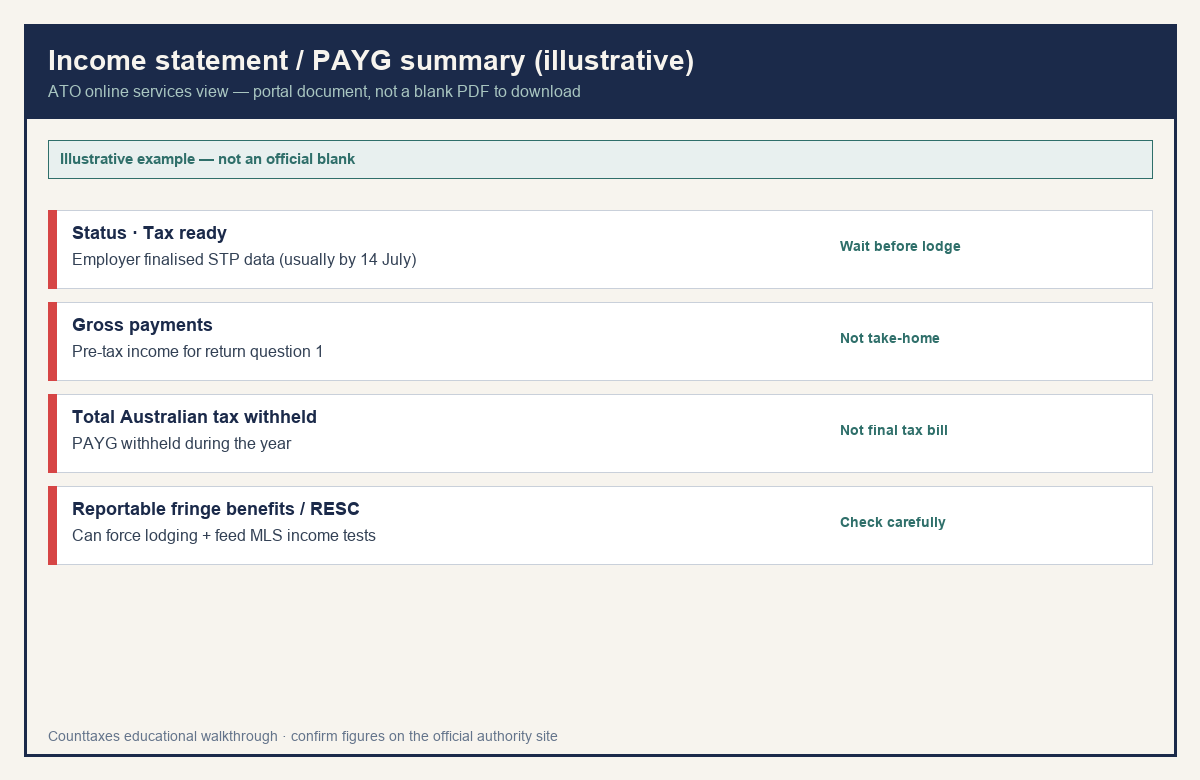
You need a myGov account linked to the ATO. Then: 1. Sign in to myGov. 2. Select ATO online services. 3. Select Employment. 4. Select Income statement. You’ll see your income from each employer for the year and the tax withheld. In the ATO app, sign in to ATO online services, select Employment, then choose the income year. Check the status. Tax ready means your employer has finalised the figures. The ATO sends a notification to your myGov inbox when your income statements are Tax ready. If you see a red Not tax ready box, talk to your employer. After 31 July the ATO says to speak to your employer if it’s still not ready. No myGov account? The ATO says you can phone 13 28 61 for a copy. Your registered tax agent can also access the statement. If your employer can’t make it Tax ready, they’ll need to give you a payment summary. If the employer has closed, you estimate your income and withholding and include that in your return.
If you lodge before Tax ready, the amounts can change and you may need to amend. Additional tax may be payable.
Step 03
What the figures mean
During the year, your income statement shows year-to-date salary and wages, tax withheld and super. At year end, these are the figures you need for your return.
| Figure | Where it goes | Watch out |
|---|---|---|
| Gross payments | Question 1 (salary or wages) | Before tax — not take-home |
| Total Australian tax withheld | Beside question 1 | Not your final tax bill |
| Payer’s ABN or WPN | Identifies the employer | Match every employer |
| Payment type H | Extra return question | Working holiday makers (417 / 462) |
| Allowances | Question 2 (not question 1) | Don’t roll them into gross wages |
| Reportable fringe benefits | Income tests / lodging triggers | Can make lodging compulsory |
| Reportable employer super | Income tests / lodging triggers | Should be salary sacrifice only — not compulsory SG |
The ATO says reportable employer super contributions should include only additional employer contributions, for example salary sacrifice. Some employers wrongly include compulsory super. If you haven’t lodged, ask your employer to correct it. If you have, you may need to amend your return.
Gross payments is before tax, and tax withheld is not your final tax bill. Keep your records — the ATO says to keep them for 5 years from the date you lodge.
Step 04
Paycheck vs year-end
A payslip answers “what did I get this pay?” It covers one pay period and usually shows net pay. Your income statement answers “what did I earn and pay in tax over the year?” With STP, your employer sends the ATO your tax and super details each time you’re paid. Year-to-date figures in ATO online services update after each pay, and it may take a few days to show. What you see online may not always match your payslip exactly. At year end, your employer finalises the data (generally by 14 July) and the statement is marked Tax ready. Only then are the numbers settled. Withholding during the year is an estimate. Your return and the notice of assessment settle whether you get a refund or owe more. That’s why pay and the return can move separately. A raise, a second job, or salary sacrifice shows up in each pay first, and in your year-end figures later. Started a new job or changed your pay this year? Estimate your new take-home pay with the Counttaxes Australia calculator, then compare it with your income statement at tax time.
Counttaxes is an educational take-home pay estimator. It doesn’t prepare or lodge returns, and it can’t replace your income statement.
Official source
Always prefer the current-year instructions over this outline.
Keep reading
Related Australia guides
 Payslip
How to read an Australian payslip
Gross pay, PAYG tax, super, and HECS/HELP lines — so you can sanity-check take-home. Not a payslip generator.
 Individual tax return
How to lodge a tax return in Australia
Who needs to lodge, what to gather, and how myTax and your income statement fit together for the 2025–26 return. Not a filing service.
 Medicare levy
 and surcharge explained
What the 2% Medicare levy is, when the Medicare levy surcharge applies, and how each shows up on your tax return versus your payslip.
 PAYG withholding
 explained
How Australian PAYG withholding works for employees — TFN declaration, tax-free threshold, STP income statements, study loans, and when missing a TFN raises withholding.