
Individual tax return
How to lodge a tax return in Australia
Who needs to lodge, what to gather, and how myTax and your income statement fit together for the 2025–26 return. Not a filing service.

Step 01
Do you need to lodge?
Start with one question: did your employer withhold tax from your pay? If you were an Australian resident in 2025–26 and tax came out of your pay through PAYG withholding, the ATO says you must lodge a return. There are other triggers. You must also lodge if your income statement shows a reportable fringe benefits amount or reportable employer super contributions. The same applies if you ran a business, made a loss, or exceeded a super contributions cap.
| Who | Lodge when taxable income is |
|---|---|
| Resident for the full year (no government payments) | Above $18,200 |
| Working holiday maker (417 or 462 visa) | $45,001 or more of Australian-source taxable income |
The quickest check is the ATO’s Do I need to lodge? tool. Signed in through myGov, it uses what the ATO already knows about you. If you really don’t need to lodge, tell the ATO with a non-lodgment advice rather than staying silent. There are exceptions, for example if you already told the ATO you won’t need to lodge in future years.
“I earn very little” is not a reason on its own. Tax withheld from your pay means you generally need to lodge, even on a small income.
Step 02
What to gather
Most of what you need is already with the ATO. The ATO recommends having these ready: • your bank BSB and account number for the refund • your income statement or payment summaries from every employer • Centrelink payment summaries • receipts or statements for any deductions you claim • your spouse’s income, if you have one • private health insurance details Your income statement is the key document. Employers who report through Single Touch Payroll don’t have to give you a payment summary. Instead, find it in myGov: ATO online services → Employment → Income statement. In the ATO app, choose Employment, then the income year. Wait for the Tax ready label. Employers have until 14 July to finalise. If it still isn’t Tax ready after 31 July, the ATO says to speak to your employer. Pre-fill data from banks, health funds and government agencies is available from 1 July, with most finalised by the end of July.
More than one employer means more than one income statement. Check that all of them are in your return.
Step 03
Lodge online
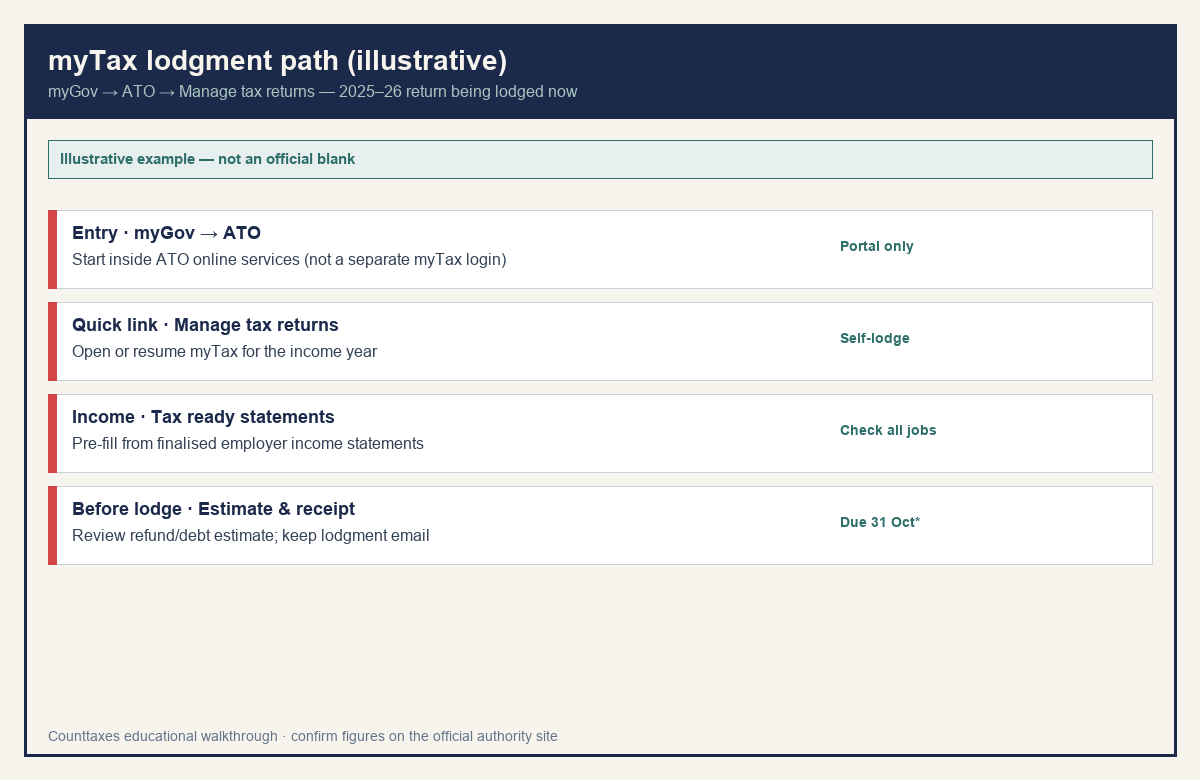
You need a myGov account linked to the ATO. Then: 1. Sign in to myGov and select ATO. 2. Select Manage tax returns from the Quick link. 3. Start the return in myTax and review the pre-filled income, then add deductions and anything missing. 4. Check the refund or tax-owing estimate, then lodge. You’ll get a lodgment receipt by email. You can use a computer, phone or tablet. The ATO says most online returns process within 12 business days and refunds generally arrive within about 2 weeks.
| Action | Date |
|---|---|
| Lodge your own return | 31 October (or next business day) |
| Pay tax owed (if lodged by 31 October) | 21 November |
| Paper refunds (typical) | Up to 50 business days |
Paper is possible: use the 2026 form and instructions, or order a pack.
If a tax agent will lodge for you, you must engage them before 31 October. Only registered tax agents can charge a fee for lodging.
Step 04
Counttaxes scope
Counttaxes is an educational take-home pay calculator. It does not prepare or lodge returns, and nothing here is tax advice. The return answers “did I pay the right amount over the year?” Your payslip answers “what lands in my account each pay?” Those are different questions. Withholding at payday is an estimate. Your return settles the difference, either as a refund or a bill. So your pay can change without your return changing, and vice versa. When something changes, such as a new job, a raise, or a second income, your income statement will eventually reflect it. Before that, you can estimate the effect on each pay with the Counttaxes Australia take-home calculator. Changed jobs or got a raise this year? Estimate your new take-home pay with the Counttaxes Australia calculator, then check your income statement at tax time.
We do not prepare or lodge your return. Confirm every figure with the ATO for your income year.
Official source
Always prefer the current-year instructions over this outline.
Keep reading
Related Australia guides
 Income statement
PAYG summary / income statement explained
Most PAYG payment summaries are now income statements in myGov. Where to find yours, what the figures mean, and why it differs from your payslip.
 Medicare levy
 and surcharge explained
What the 2% Medicare levy is, when the Medicare levy surcharge applies, and how each shows up on your tax return versus your payslip.
 Deductions
Work-related deductions in Australia
What “work-related deductions” means at a high level when lodging — records, common categories, and ATO rules. Not deduction advice.