
TD1
How to fill out a TD1
What the CRA TD1 form does, how to claim the basic personal amount, federal vs provincial forms, and what to enter with two jobs.

Step 01
Download the official blank form
Download the 2026 TD1 straight from the Canada Revenue Agency. CRA offers a print-and-sign PDF, a fillable PDF you can save, and a large-print version. For best results, download the fillable file and open it in Adobe Reader rather than in your browser. • Federal TD1 (2026): CRA’s TD1 form page • Provincial or territorial TD1 forms (2026): CRA’s list, one page per province and territory • TD1-WS worksheets: for working out partial credits; keep these, don’t hand them in These links change every January when CRA publishes new forms. If you’re reading this in a new year, check that the form year matches your pay date.
Step 02
What a TD1 is
The TD1, officially the Personal Tax Credits Return, is a form you give to your employer when you start a new job. It tells them which tax credits you’re claiming so they can work out how much income tax to take from each paycheque. It is not a tax return, and you don’t send it to the CRA. Your employer keeps it with your records. You fill in your name, address, date of birth and social insurance number on the first page, then enter the credits you’re claiming. Sign and date it before handing it in. You don’t have to fill out a new one every year. You do need a new one when your situation changes in a way that affects your credits, such as a new credit you qualify for or a second job. CRA’s employer guidance says employers must get an updated TD1 within seven days of that kind of change. If you don’t hand one in, your employer deducts tax using only the basic personal amount, based on what they estimate you’ll earn. CRA also lists a late-form penalty for people who don’t provide a required TD1 — $25 a day, with a $100 minimum and a $2,500 maximum.
Never send your SIN by text or messaging app. CRA says it doesn’t request personal information that way.
Step 03
Federal vs provincial
Everyone fills out the federal TD1. A provincial or territorial TD1 is only required if you’re claiming more than the basic personal amount. In practice, many employers ask for both forms from every new hire, so be ready to give them both. Which province’s form do you use? It follows your province of employment, which is generally where your employer’s business is located (or where you report for work), not necessarily where you live. For Ontario, that’s TD1ON. Each province and territory has its own form and its own worksheet. The worksheets (such as TD1ON-WS) are for your own records and aren’t given to your employer. Quebec works differently. Employees there use the federal TD1, plus Revenu Québec’s TP-1015.3-V Source Deductions Return, instead of a CRA provincial form. Credits and amounts on the provincial form are separate from the federal ones. Don’t assume a number on one form carries over to the other.
If your employer is in a different province than where you live, double-check which province’s form applies. CRA’s rule is based on the province of employment.
Step 04
Basic personal amount and other credits
Every resident of Canada can claim the basic personal amount, which means you don’t pay federal tax on the first slice of your income. Beyond the basic amount, the TD1 lists other credits you may claim if you qualify. Only claim what truly applies to you.
| Item | Amount / rule | Common mistake |
|---|---|---|
| Federal basic personal amount | Maximum $16,452 (min $14,829 at higher incomes) | Skipping TD1-WS when a partial amount applies |
| Ontario basic personal amount | $12,989 (other provinces set their own) | Copying the federal number onto TD1ON |
| Other credits (age, pension, tuition, disability, spouse, dependant, caregiver) | Claim only if you qualify | Claiming a credit twice or when ineligible |
| Line 13 total claim amount | Sum of everything you claimed | Entering expected earnings instead of credits |
At the lowest federal rate of 14%, the maximum basic amount is worth about $2,303 a year in federal tax credit. If you only claim the basic amount, enter it and stop.
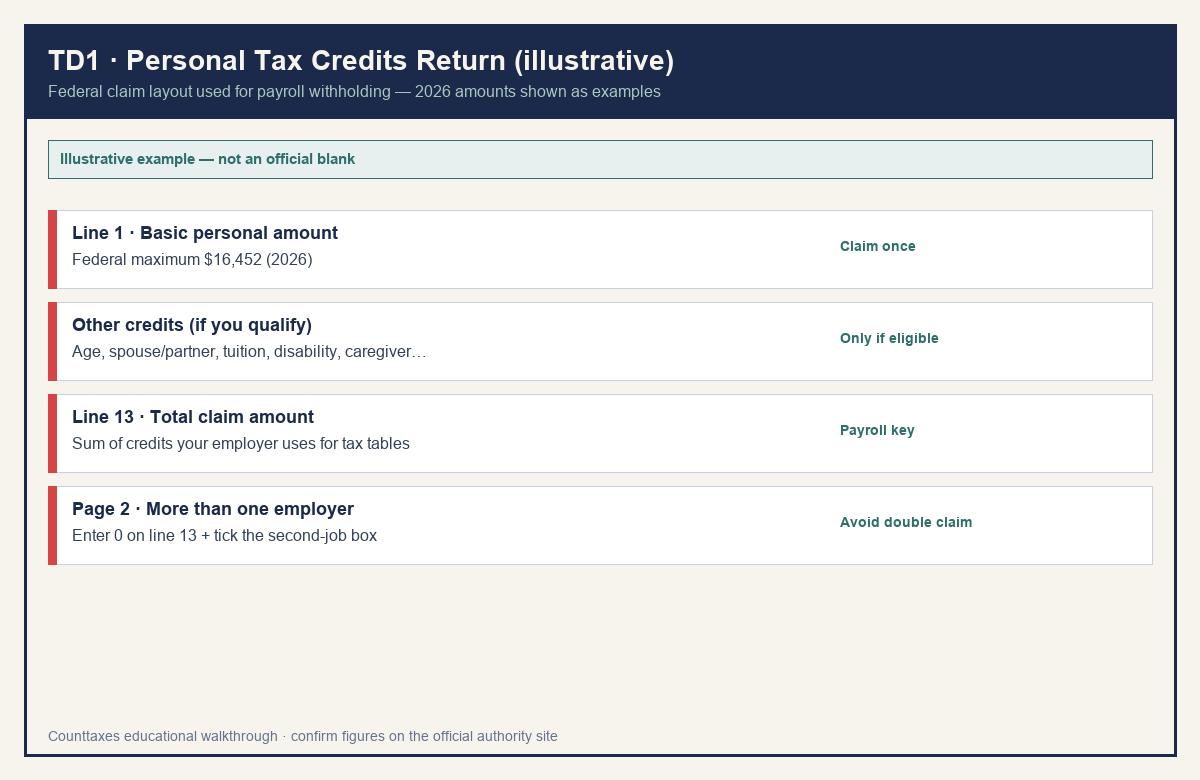
Line 1 (basic personal amount) and line 13 (total claim amount) are the anchors most people need. Confirm other credit line labels on the current-year CRA PDF before you claim them.
Step 05
More than one job
If you work for more than one employer at the same time, you can only claim your personal tax credit amounts, such as the basic personal amount, on one TD1. If you claim them twice, too little tax gets deducted overall, and you may owe a lot when you file. If you’ve already claimed those amounts on another TD1 and your total income from all sources will be more than the credits you claimed, do this on the second TD1: 1. Enter 0 on line 13. 2. Leave the other credit lines blank. 3. Tick “More than one employer or payer at the same time” on page 2. If your total income from all sources will be less than your total claim amount, you may not owe any tax. Tick “Total income less than total claim amount” on page 2 and your employer won’t need to deduct tax. If you have other income with no tax taken off, such as cash tips or occasional earnings, you can ask your employer to deduct extra. Enter the extra amount on page 2.
Quitting one job and starting another isn’t the same as two jobs at once. Give the new employer a normal TD1.
Step 06
Check take-home after payroll updates
Two things can change your paycheque without you touching the TD1. Every January, the federal credits and tax brackets are indexed. For 2026, the federal factor is 2.0% and Ontario’s is 1.9%. CRA says employees get that change automatically, whether or not they file a new TD1. CPP and EI amounts also reset each year, and they’re separate from the TD1. File a new TD1 when your own situation changes: a new credit, a second job, or a change in the amounts you claim. After you hand it in, check your next pay stub. Your employer uses your total claim amount to look up the income tax deduction. To see the effect before it hits your pay, put your gross pay and province into the Counttaxes Canada take-home calculator. Run it before and after a change, and compare the result with your pay stub.
If your pay stub looks off after a TD1 change, talk to your employer’s payroll team first. They’re the ones applying CRA’s tables. We do not submit TD1s to CRA or your employer.
Official source
Always prefer the current-year instructions over this outline.
Keep reading
Related Canada guides
 Pay stub
How to read a Canadian pay stub
Gross pay, income tax, CPP, EI, and other deductions — so you can check take-home. Not a pay-stub generator.
 T4
How to read a T4
Decode the T4 Statement of Remuneration Paid — key boxes for employment income, tax, CPP, and EI. Employees read it; employers issue it.
 T2125
How to fill out a T2125
See who files CRA Form T2125, how income and expenses flow to your T1, and how self-employed pay differs from payday.